
צפייה בניסיונות המענה של הסטודנטים
ניתן לצפות בתשובות שהגישו הסטודנטים במספר אופנים ולקבל מידע שונה בהתאם.
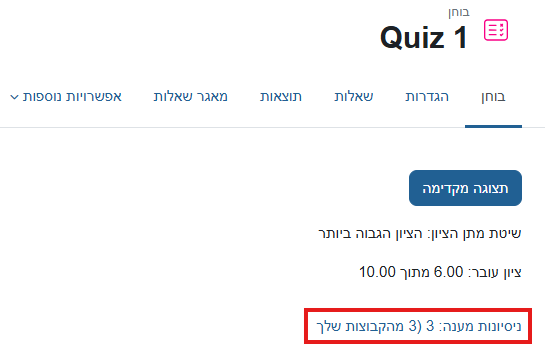
1. תצוגת ניסיונות המענה תוך ציון האם התשובה הייתה נכונה / לא נכונה, אך ללא התוכן של השאלות והתשובות - לחיצה על הקישור "ניסיונות מענה" בעמוד הראשי של הבוחן
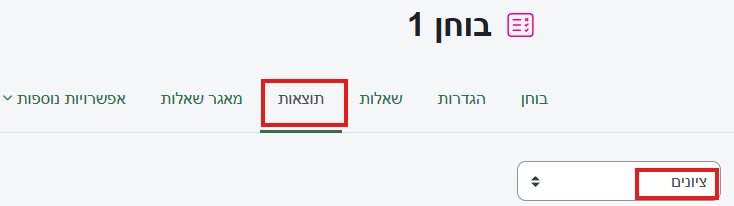
או בטאב "תוצאות" אפשרות "ציונים"
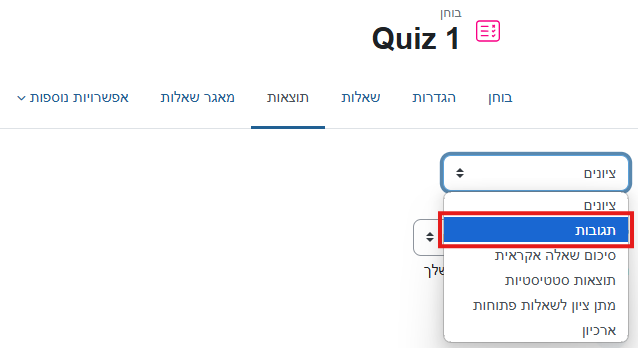
2. תצוגת ניסיונות המענה תוך ציון השאלה והתשובה המפורשת שנבחרה על ידי הלומד - אפשרות "תגובות" בלשונית "תוצאות".
Background Colour
Font Face
Font Kerning
Font Size
Image Visibility
Letter Spacing
Line Height
Link Highlight
Text Alignment
Text Colour