
שליחת מסר לסטודנט או לקבוצת סטודנטים
שליחת מסר לסטודנט/ים
1. באתר הקורס לחצו על "משתתפים"
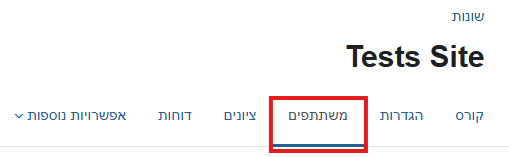
2. ברשימת המשתתפים בחרו את המשתתף/ים שאיתם ברצונכם ליצור קשר על ידי סימון V בעמודה הימנית ביותר בטבלת המשתתפים.
3. בתחתית הטבלה, בתיבת הבחירה, סמנו "שליחת מסר".
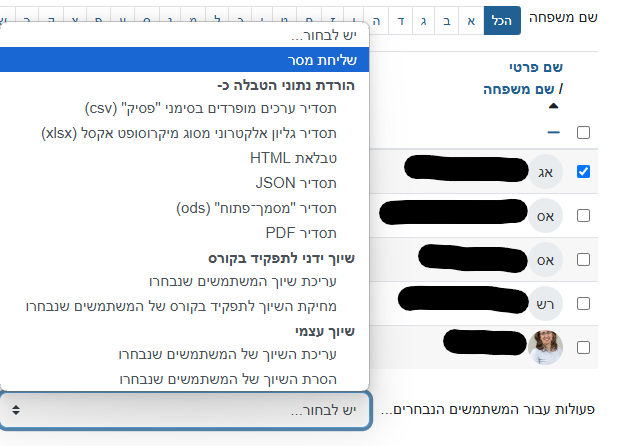
4. רשמו את המסר בעמוד שיפתח ובסיום לחצו על "שליחת מסר".
Background Colour
Font Face
Font Kerning
Font Size
Image Visibility
Letter Spacing
Line Height
Link Highlight
Text Alignment
Text Colour