ניתן לפרסם באתר הקורס במערכת ה Moodle קישורים לסרטי וידאו במערכת פנופטו, סרטוני יוטיוב, מידע נוסף, חומר עזר חיצוני וכו'. להלן הנחיות להוספת קישור לאתר Moodle:

1. היכנסו למערכת המודל ובצעו הזדהות.

2. היכנסו לאתר הקורס הרצוי.

3. בסרגל העליון לחצו על האייקון הירוק להפעלת עריכה.

Edit mode is turned on which is indicated by the green color of the switch button

ביחידת ההוראה הרצויה לחצו "+ הוספת משאב או פעילות", סמנו "הוספת משאבים".

"Add an activity or resource" button is shown in a red rectangle in a section on the course site

בתפריט הצף שיפתח בחרו "קישור לאתר אינטרנט" ולחצו על "הוספה" בתחתית החלון הצף.
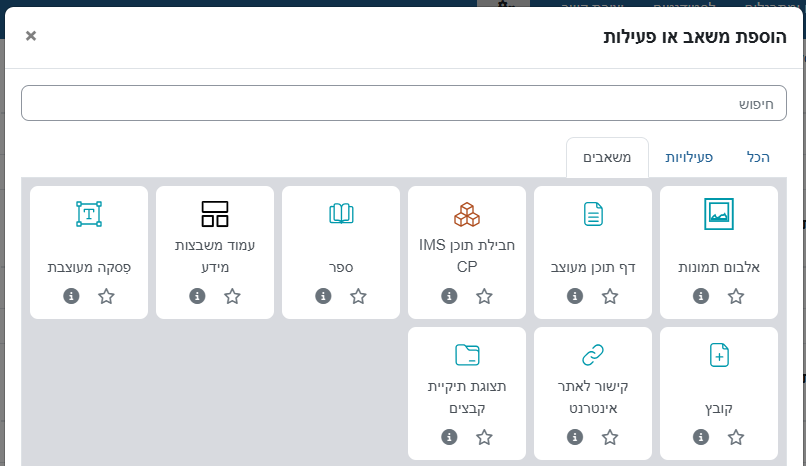
Resources in the pop-up menu that opens after clicking "Add an activity or resource"

 בעמוד שיפתח מלאו את שם הקישור כפי שתרצו שיופיע בעמוד הקורס ואת הקישור עצמו:
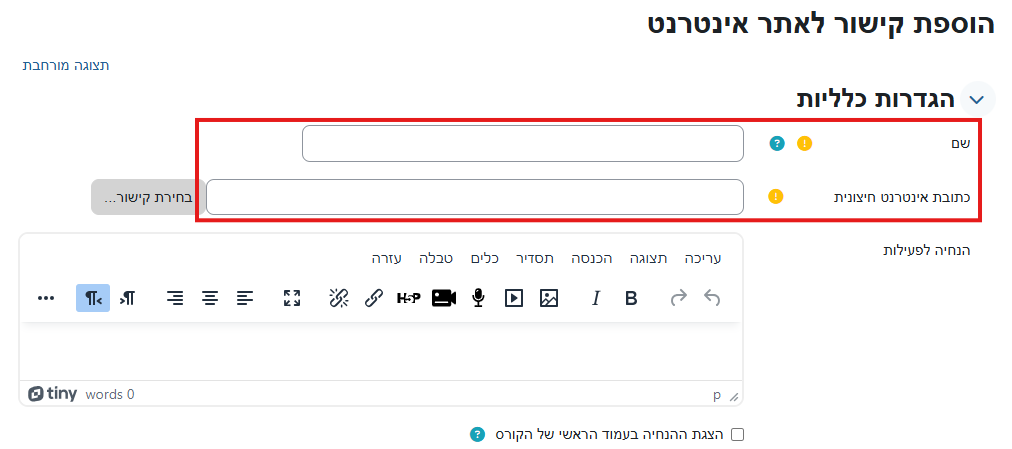
The fields for typing in the name of the link and the external URL are shown in red rectangle

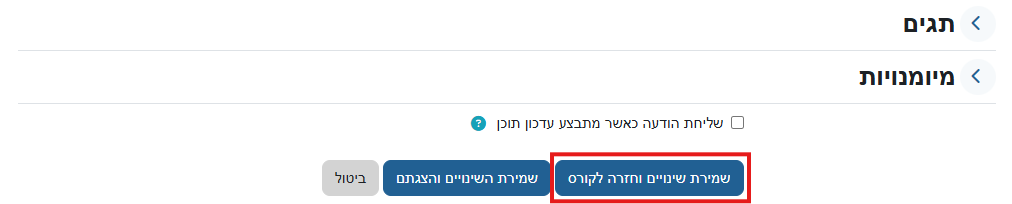
בצעו שמירה בתחתית העמוד.

"Save and return to course " button is at the bottom of the page and it is shown in a red rectangle

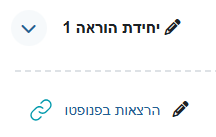
 כעת הקישור מופיע באתר:

The link appears on the site under the section headline


Last modified: Thursday, 26 December 2024, 9:25 AM
Accessibility

Background Colour Background Colour

Font Face Font Face

Font Kerning Font Kerning

Font Size Font Size

1

Image Visibility Image Visibility

Letter Spacing Letter Spacing

0

Line Height Line Height

1.2

Link Highlight Link Highlight

Text Alignment Text Alignment

Text Colour Text Colour