
Restricting access to activities and resources to certain groups
1. Go to the main page of the course and activate edit mode (green button in the top bar).
2. If you haven't done so yet, define groups and groupings.
3. Open the settings of the desired resource.
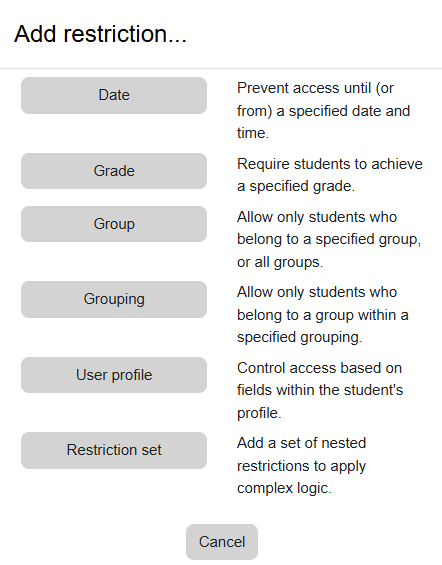
4. On the page that opens, under the "Restrict access" subheading, click "Add Restriction".

5. In the menu that opens, select "Group"
6. Select the desired group (you can set access only to specific group(s) or block access to specific group(s))

צבע רקע
גופן
צימוד אותיות
גודל גופן
תצוגת תמונות
ריווח אותיות
גובה קו
הדגשת קישורים
Text Alignment
צבע טקסט